Step 2 · A private home for your website files
Let Claude prepare your website accounts
Keep working in the same Claude Code conversation. Claude should prepare each step, explain the access requested, and give you only the small account actions it cannot do itself.
Before account setup, Claude should use the context you have already given to establish what this deployment is for. A business source site or the words private preview alone do not settle hosting-plan eligibility. If a missing purpose fact changes the route, it should ask one short ordinary question before drawing a plan conclusion, then retain your answer.
What Claude should handle
Claude checks the tools and existing connections first. It installs or reuses the GitHub and Vercel command-line tools, checks the actual permitted operations, and prepares your website work within your authorization.
In this Claude Code browser route, the cloud session normally works inside repositories already attached to it. For a new site, you create one empty private repository before granting Claude access. Claude should explain this early, prepare its exact name and creation link, and reuse a suitable existing repository when you already have one. After access is ready, Claude handles the files, changes, hosting project, private preview and checks through its supported tools.
Claude should check your GitHub account and the identity recorded on website changes automatically, before its first commit or deployment. It handles the repository settings itself. If one account fact cannot be established through its supported access, it should ask one precise question instead of giving you technical setup work.
How Claude should record the work
Within your authorization, Claude uses your actual GitHub-associated identity for new commits, with a verified email or the exact private noreply address GitHub provides for your account. It should not guess that address or use an agent or bot as the primary author. It credits its assistance truthfully in the commit message or an appropriate co-author record.
These are repository-local settings. Claude should preserve existing history and other repositories’ settings, and should not change your computer’s global identity. It checks the recorded author before deploying, including when a command-line upload carries Git information. This does not guarantee hosting access: Claude must still observe the provider’s READY result for the exact revision and verify the working preview. An author-account problem is not a reason to start a paid upgrade automatically.
Connect the chosen delivery route early
Once the private repository exists and account access and commit identity are checked, Claude should set up your chosen delivery route before substantial rebuilding. If you authorize Git-based delivery, Claude should prepare Vercel’s GitHub access for only this repository, then create or link the Vercel project through its supported command-line tools. You complete any required provider approval; Claude handles routine project linking. Signing in to Vercel with GitHub is separate from connecting a repository for website delivery.
A push to a connected deployment branch can publish a new version. Claude should use a content-free bootstrap and prove the server password gate before business content enters that route. It should preserve an existing manual-release policy and must not enable automatic publication without your authorization. These checks belong near the start, not after the full migration.
A manual-only deployment using the authorized Vercel command-line tool does not require an extra Vercel GitHub app grant or repository import. Keeping the source files in GitHub does not mean each change must publish automatically. Claude should add Git-based automatic deployment only if you choose that workflow.
Set the network choice before account setup
Claude should first check Network access. For a dedicated migration it should offer Full, explain that this cloud computer can reach any domain, and let you decide whether to accept that broader scope. Full avoids individual hostname approvals. Choose Limited to keep a narrower list, with additional approvals when a needed website is outside it. If Full is already enabled or your choice is already approved, continue without asking again.
Claude should prepare the setting, links and fields for you using its authorized tools. It should minimize your thinking, typing and clicks. You handle the sign-in, meaningful approval, payment or business decision that actually needs you. See the network setting.
Your account steps, in order
Sign-in and meaningful access changes are expected owner approvals. For this browser route, creating the initial private repository is also an owner step. Claude should prepare the exact scope, official link and supported fields and explain them briefly. When your action is needed, its ordinary reply should show the current clickable approval URL and the exact next action, so you do not have to find it in command output. Reuse valid approvals rather than sign in again.
- Sign in to GitHub, or create your account. Use your own account at GitHub. Complete personal verification privately. If you are already signed in, continue.
- Create the private repository before approving Claude’s repository access. A repository is the home for your website files and their history. Immediately after GitHub signup or sign-in, open the creation link Claude prepared with the website repository name. Confirm the intended owner and Private visibility. Leave README, .gitignore and license unchecked, then select Create repository. This leaves an empty private repository for Claude’s files. Reuse a suitable existing repository instead of creating a duplicate. Open GitHub’s repository form ↗
- Approve only the website repository for Claude Code. Now follow Claude’s account-connection link. When installing the Claude GitHub App, choose Only select repositories and select the repository you just created. Reuse an existing suitable grant; do not broaden it to every repository just to avoid a step. Claude should then select or attach this repository in Code. An additional GitHub connector for ordinary chats is not needed for this command-line route.
- Sign in to Vercel and approve its command-line access. Reuse your existing Vercel account. If you need a new account, Continue with GitHub when offered and review the actual account terms. Claude prepares its current official device approval link and short code. Check the account and request, then approve it yourself. If the approval button stays disabled in an in-app browser, open that same current link in your usual browser.
- Let Claude verify access and prepare delivery. Claude checks the intended repository’s permitted read and write operations, the commit identity and the Vercel account and team. For your authorized Git-based route, it connects this repository to the Vercel project early and proves a content-free protected bootstrap before substantial rebuilding. Manual-only delivery does not need that extra repository connection. Successful sign-in alone does not prove these operations work.
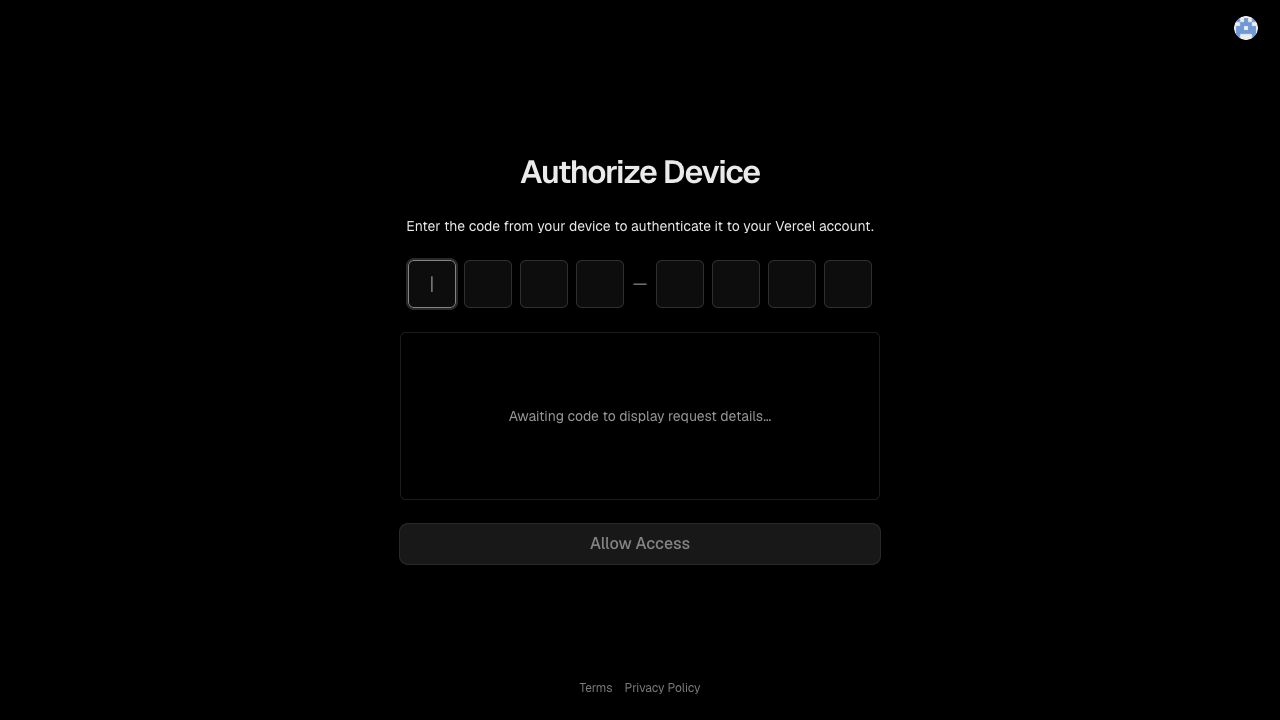
Keep your personal verification codes, account passwords and payment details out of the conversation. Use the provider’s sign-in pages. Claude should keep one active device sign-in request, track whether it is waiting, complete, expired or failed, and check the account after approval. It should replace the request only when needed and clearly mark the previous link or code as superseded. Provider-specific sign-in behavior should be checked rather than assumed.
Why do I create the empty repository?
Claude Code’s hosted GitHub access is scoped to repositories attached to the session. Linking your account does not itself give the session account-wide repository-creation access. Creating the empty private repository first lets you select it during the app approval, avoiding an install → create → revisit-permissions loop.
Another supported execution environment may be able to create repositories itself. Claude should verify that capability before promising it; this browser walkthrough does not promise a sign-in-only journey. Do not remove unrelated grants or provide a broad token to get past this restriction.
Does Claude need another GitHub login?
Claude should reuse the Code session’s supported GitHub access. Supported command-line REST operations through the cloud GitHub proxy normally do not need a separate GitHub command-line login or personal token. The agent checks the actual repository and operation; a proxy refusal or inability to create a repository is a specific limitation, not proof you need to sign in again. If an independent sign-in fails at the cloud proxy, Claude should retain that result and stop repeating unchanged login attempts. It should preserve the proxy and certificate settings.
Other supported Code setup routes may reuse existing command-line authorization. Claude should inspect the working route rather than make you change it merely to match these browser pictures.
Claude still asks to reach another website
If you chose Full, Claude should verify that the change has applied instead of adding hostnames one by one. An existing session normally picks up the setting within about a minute. A request may still reflect a different browser or security boundary; Claude should identify the actual restriction and explain the smallest action needed.
If you chose Limited, the current site, asset hosts or preview address may need to be added. Claude should prepare the destinations and explain why, grouping related requests when permitted. Your existing same-scope approval should carry forward. Follow any security confirmation the platform actually requires.
Full does not grant account access or bypass the cloud GitHub proxy’s repository restrictions. The cookbook connection is also handled separately; its hostname does not normally need to be added to the cloud computer’s website allowlist just to retrieve guidance.
Keep your hosting plan and spending choice
Claude should carry forward your chosen hosting plan and any no-spending decision. It should check the actual project purpose, current provider terms and real account restrictions before proposing a change. A plan recommendation and a technical restriction are different findings. Do not reopen a settled choice without material new evidence.
Vercel Hobby is restricted to personal, noncommercial use. A private password gate, temporary address, a provider label such as Production, or copied business text alone does not settle the project’s classification. Claude should distinguish what the facts establish, what it infers and what remains uncertain. A successful deployment is technical evidence, not provider approval. See Vercel’s purpose-based usage rules and terms.
If a different hosting arrangement is needed
Claude should use the purpose you have already explained and ask one ordinary question only if a missing fact changes the route. A real business prototype, paid migration or commercial development test can have a financial purpose even while private. There is no blanket private-test exception.
If a genuine boundary remains, Claude should explain it precisely, preserve your work and continue permitted independent preparation. It should give you a concrete suitable next step. It must not replace a hosted preview with a local-only build and call delivery complete.
Before you choose any paid option, Claude should explain the actual price, billing interval, usage charges, affected account or team, and alternatives. A paid Claude plan and Vercel Pro are separate products. No upgrade or purchase should start automatically.
If Claude mentions a Vercel trial
An advertised trial is not proof your account has that offer. Claude should verify the current account-specific offer before presenting it as available, including the affected team, limits, payment requirement and what happens afterward. It should not open or start a trial without your choice. Do not create another identity or team to evade a trial limit. See Vercel’s current trial terms.
Claude should prepare privacy before uploading the site
The preview needs a password gate enforced by the website code on the server. Claude should prepare the password and other secrets using the provider’s private settings when its authorized tools allow it, and give you a private way to keep the preview password. Paid hosting password features are not required for this code-based gate.
Before uploading business content, Claude should test a harmless hosted example to prove the project runs the gate. It also checks the framework, build settings and legitimate commit attribution against the project’s requirements. A command-line deployment can carry Git author information; it is not an automatic exemption from provider checks. A successful local build alone is not enough.
Git delivery setup checked October 21, 2026: Vercel’s Git deployment guide. Commit identity guidance checked October 21, 2026: GitHub’s commit email settings and Vercel’s commit-author checks. GitHub scope and command-line access checked October 21, 2026: Claude cloud repository access and GitHub proxy restrictions. Other provider details checked October 20, 2026: cloud environment network access, GitHub account checks, Vercel sign-in and Vercel Hobby terms. Claude must check current restrictions for your account.
How the migration is checked →